Preparing your download
ABCSpell is being verified and prepared...
- Size
- 4.75 MB
- Downloads
- 0+
- Update date
- Sep 17, 2025
App details
- Version
- 7.2.4.1
- Size
- 4.75 MB
- Updated
- September 1, 2020
- Requires
- Windows XP
- Language
- English
- License
- Trial version
- Developer
- Isota
- Category
- Windows OS
How to install ABCSpell
How to install XAPK / APK file
- Download the XAPK/APK file from the button above.
- Open your device's file manager and locate the downloaded file.
- Tap the file to begin installation.
- If prompted, open settings and enable installs from unknown sources.
- Follow the on-screen instructions to complete the installation.
Description
Download ABCSpell – Instant Spell Checking for Outlook Express
Overview
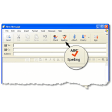
ABCSpell is a lightweight, free spell‑checking add‑on that integrates directly into Microsoft Outlook Express. Once installed, the program adds a clearly visible spell‑check button to the Outlook Express toolbar and an entry in the main menu, giving users instant access to a powerful proofreading engine while they compose or reply to email messages. What sets ABCSpell apart from the built‑in Outlook Express tools is its real‑time correction capability, an extensive synonym and antonym database, and an embedded Online Merriam‑Webster word‑lookup feature that works behind the scenes to suggest accurate alternatives. The interface is deliberately simple: click the spell‑check icon, and a pop‑up list of suggestions appears for every misspelled word, allowing a single‑click replacement. Even if you forget to run a manual check, ABCSpell automatically scans your message when you hit the “Send” button, catching errors before they reach the recipient’s inbox. Whether you’re a casual home user, a small‑business professional, or a power user who handles large volumes of email daily, ABCSpell delivers a seamless, secure, and unobtrusive spelling solution that boosts confidence and reduces the risk of embarrassing typos.
Key Features of ABCSpell
- Instant Toolbar Integration: A dedicated spell‑check button appears on the Outlook Express toolbar immediately after installation.
- Automatic Send‑Time Check: The software performs a silent spell‑check whenever you click “Send,” preventing accidental dispatch of misspelled messages.
- Synonyms, Antonyms & Related Words: Built‑in lexical database offers alternative word choices to improve tone and clarity.
- Online Merriam‑Webster Lookup: Real‑time connection to Merriam‑Webster’s dictionary provides authoritative definitions and usage examples.
- Custom Dictionary Support: Users can add personal words, technical jargon, or brand names that are excluded from future warnings.
- Multi‑Language Ready: While primarily English, the engine supports additional language packs that can be installed separately.
- Lightweight & Low Resource Usage: The add‑on runs quietly in the background, consuming minimal CPU and memory.
- Secure & Free: No hidden fees, no spyware—ABCSpell is distributed as a free, secure download from the developer’s website.
Installation, Usage Instructions & Compatibility
Installing ABCSpell is a straightforward process that takes less than five minutes for most Windows environments. Begin by downloading the installer from the official website (the link is provided in the CTA below). Run the ABCSpell_Setup.exe file, and follow the on‑screen wizard: accept the license agreement, choose the default installation folder (or specify a custom path), and click “Install.” The installer automatically detects the presence of Outlook Express and registers the add‑on with the program’s COM interface. Once the installation completes, restart Outlook Express to allow the new toolbar button to appear.
Using ABCSpell is equally simple. While drafting an email, click the newly added “ABCSpell” icon on the toolbar or select Tools → Spell Check from the menu. The spell‑checker scans the entire message, highlighting misspelled words in red. A dropdown list of suggested corrections appears—select the appropriate word to replace the error instantly. For deeper exploration, right‑click a highlighted word to view synonyms, antonyms, and related terms, or choose “Merriam‑Webster Lookup” to open a browser window with detailed dictionary entries.
Operating System Compatibility (itemprop="operatingSystem"): ABCSpell is designed for Windows platforms that support Outlook Express, including Windows XP, Windows Vista, Windows 7, Windows 8, and Windows 10 (both 32‑bit and 64‑bit editions). The software does not run on macOS, Linux, or mobile operating systems, as Outlook Express itself is a Windows‑only email client. Users should ensure that their Windows updates are current to avoid any compatibility warnings during installation. The add‑on has been tested with Outlook Express versions 5.0 through 6.0, providing reliable performance across the supported range.
Pros & Cons
Pros
- Free download with no hidden costs.
- Seamless integration into Outlook Express toolbar.
- Automatic spell check on sending ensures no missed errors.
- Rich lexical features: synonyms, antonyms, Merriam‑Webster lookup.
- Low system resource consumption, suitable for older PCs.
Cons
- Only works with Outlook Express (no support for Outlook or other email clients).
- Limited to Windows operating systems.
- Language support beyond English requires separate packs.
- Interface is basic; power users may miss advanced grammar checking.
Frequently Asked Questions
Is ABCSpell completely free or are there hidden fees?
ABCSpell is offered as a free download. There are no subscription fees, no in‑app purchases, and the installer does not contain adware or spyware.
Can I use ABCSpell with Microsoft Outlook or other email clients?
No. ABCSpell is specifically built for Outlook Express and leverages its COM interface. For Outlook, the developer offers a separate product called ABCSpell for Outlook.
Does ABCSpell work on Windows 10 64‑bit?
Yes. The installer includes both 32‑bit and 64‑bit binaries, and it runs smoothly on Windows 10 (both Home and Pro editions).
How does the automatic send‑time spell check affect email sending speed?
The automatic check runs in a fraction of a second and only scans the message body. Most users notice no perceptible delay before the email is sent.
Can I add my own technical terms to the dictionary?
Yes. ABCSpell includes a “Custom Dictionary” feature where you can import or manually type words that should be ignored by the spell checker.
Conclusion – Should You Download ABCSpell?
For anyone who still relies on Outlook Express for daily email communication, ABCSpell fills a glaring gap by providing instant, reliable spell checking without the need for expensive third‑party tools. Its automatic send‑time scan, extensive synonym database, and built‑in Merriam‑Webster lookup make it a valuable productivity booster, especially for professionals who cannot afford to send error‑laden messages. While the lack of cross‑client support limits its audience, within its niche the software delivers exactly what users need: a free, secure, and easy‑to‑use spelling assistant that works quietly in the background.
ABCSpell offers a robust set of features for a free tool, and its integration with Outlook Express feels native. Minor drawbacks such as limited language packs and Windows‑only support keep it from a perfect score, but for its target audience it is an essential add‑on.
Ready to eliminate spelling errors from your Outlook Express messages? Click here to download ABCSpell now and enjoy a smoother, more professional emailing experience.
Download safety
TotalVirus Scanned
This software has been scanned for malware and verified safe for download.SoftPas in:
This product is also available in the following languages: